
Confirm Visa Status: Complete Online Guide for 2026
Whether you are making travel plans for tourism, business, or study, knowing exactly where your visa application stands can save you from unpleasant surprises at the airport. This guide walks you through every step of how to confirm visa status online in 2026, from gathering the right documents to troubleshooting errors and spotting scams.
Key Takeaways
Travelers can confirm visa status online for free by visiting the official government portal of the destination country and entering their passport number plus the application reference number from their confirmation email.
Verifying visa approval, validity dates, visa type (single entry vs multiple entry), and permitted stay before booking flights helps you avoid airline boarding denials and border control problems that still affect thousands of travelers every year.
Most countries let you check a visa application or issued e-Visa by logging into the same website where you submitted your visa application and reviewing real-time status updates such as "Under Review," "Approved," or "Refused."
Every detail on your approved visa must match your valid passport exactly. If your name, passport number, validity period, or visa conditions contain errors, contact the issuing authority immediately before you travel.
This article covers step-by-step instructions, important information on typical processing times and visa fees, common issues with fixes, and a FAQ section at the end.
What Does It Mean to Confirm Visa Status?
Confirming visa status means checking whether your visa has been received, approved, refused, or is still under process, and reviewing the electronic records attached to your passport number. The best way to check a visa status depends on the application location and processing center handling your file.
This applies to e-Visas, traditional sticker visas, and visa waivers or authorizations (like ESTA or ETA) that are electronically linked to a passport.
Confirmation covers several checks at once: application status, visa approval result, visa validity dates, number of entries allowed (single entry or multiple entry), and permitted stay per visit.
Airlines and border officers usually rely on the same electronic system, so any mistake in your record can cause boarding denial or entry refusal if you do not fix it in advance.
You should confirm status at least 3–7 days before departure for short-processing visas, and 2–4 weeks ahead for popular destinations with longer queues or additional administrative processing.
Key Details You Need Before You Check Your Visa
Accurate data input is essential because most online portals match your record exactly to the details you enter. One wrong digit and you may see nothing at all.
Common mandatory data points:
Field | Example |
|---|---|
Passport number | AB1234567 |
Passport expiry date | 15/03/2028 |
Date of birth | 22/07/1990 |
Full name (as on passport) | Jane Marie Smith |
Application or reference number | TRN-20260401-00987 |
You also need your visa sticker number to check status in some countries. Visa application centers typically require a tracking number to check application status.
Optional but frequently requested items include national ID number, the receipt or invoice number for the visa fee payment, and the email address used during the visa application.
Keep a digital or printed copy of the submitted visa application and payment receipt handy so you can cross-check any mismatched fields.
Entering even one incorrect digit in your passport number or year of birth may return "No Record Found," which is the single most common reason individuals think their visa is missing.
Step-by-Step: How to Confirm Visa Status Online
While every country's portal looks different, the basic process is similar worldwide. Applicants can view their digital visa status using official government services, and you should always check your visa status on the official government website rather than a third-party agency.
Go to the official portal. Navigate to the immigration or e-Visa website of the destination country. Look for the "Check Visa Status" or "Track Application" page.
Select your visa category. Some portals ask you to choose your visa category or country of citizenship before proceeding.
Enter your details. Enter your passport number to check visa status, along with your application ID and any security captcha. Double check every character.
Submit and review. Click "Submit," "Check," or "Track" to view the current status.
Typical status labels you may see:
Submitted / Received - application entered but not yet adjudicated
Under Review - being evaluated by an officer
Pending Documents - additional paperwork requested
Approved - decision made in your favor
Refused / Cancelled - application not accepted
Visa Issued - document ready for collection or download
For e-Visas, there is usually a button to download the approved document immediately after status shows "Approved." Save a PDF and print at least one paper copy. E-Visas typically require online application and payment before any status becomes available.
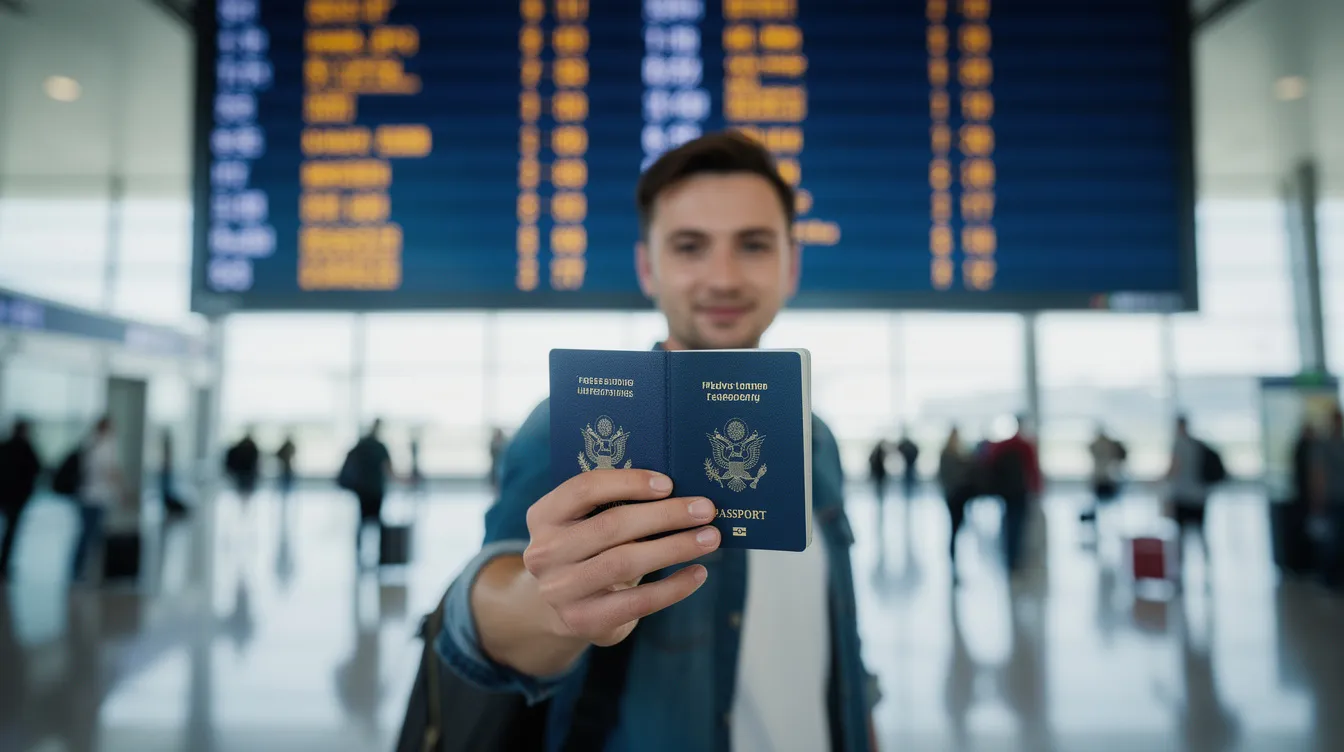
Confirming Details on an Approved Visa
Approval alone is not enough. Every line on the visa must match your passport and travel plans, or you risk problems at check-in or the border.
Verify the spelling of your full name, passport number, date of birth, nationality, and the visa type. Common visa categories include tourist, business, student, work, transit, and medical. Note that specific e-Visa variants exist for different purposes: an e-Tourist Visa allows travel for tourism purposes, an e-Business Visa is for business-related travel, an e-Transit Visa is for travelers passing through a country, and an e-Conference Visa is for attending conferences abroad. However, e-Visas are not available for student or work purposes in most systems.
Check validity dates (issue date and expiry date), maximum permitted stay per visit (e.g., 30 or 90 days), and whether the visa is single entry or multiple entry. This directly affects your ability to re-enter after short trips to neighboring countries.
Review any conditions or remarks section. Endorsements like "no employment," "for conference attendance only," or "entry via specific airports" can invalidate your trip if your travel purpose does not align.
Take a screenshot or printout of the online confirmation page showing all details, in addition to the visa PDF or sticker, so you can present correct information to airlines or border officers if a discrepancy appears at check-in.
Single Entry vs Multiple Entry: Why It Matters When You Confirm Status
Misunderstanding entry count is one of the most common and costly mistakes travelers make when reading their visa record.
A single entry visa allows entering the country only once within the validity period. If you leave-even briefly to visit a neighboring country-the visa is used, and you cannot re-enter without a new one.
A multiple entry visa allows repeated entries while the visa remains valid, usually with a separate permitted stay limit per visit (for example, 90 days per entry within a 1-year validity window).
Confirm the entry type clearly in your online visa status or PDF, especially if you plan side trips during the same journey. A traveler using Australia's VEVO system can see "entries allowed" displayed directly, which helps avoid this mistake.
Multiple entry options often involve a higher visa fee. Check your application receipt to make sure the cost you paid matches the visa type you received. If it does not match, contact the issuing authority before you travel.
Tracking Your Visa Application Before a Decision
Confirming visa status is also useful while your file is still processing, not only after approval. Visa processing time is usually 2–7 working days depending on the country, but some applications take much longer.
Applicants usually receive an application or reference number immediately after completing and submitting an online visa application and paying the visa fee. This number is the key to all future tracking.
Portals often show timestamps such as date of submission, date of biometrics (if required), and date of last update. Checking processing times can help determine the status of a visa application-for instance, U.S. USCIS reported median I-129 processing dropped to roughly 2.7 months in FY 2024.
Compare displayed processing time ranges with your planned travel date. Avoid booking non-refundable tickets before the risk period ends.
Some systems send automatic email or SMS notifications for major changes like "Additional Documents Needed" or "Decision Made." UK Visas and Immigration (UKVI) provides automated notifications for application updates, and monitoring email notifications is essential for tracking UK visa applications. You can also track your UK visa application through a UKVI account.
Tracking portals of commercial partners (such as VFS Global or TLScontact) can provide status updates for visa applications as well. However, note that UKVI does not provide step-by-step progress updates during the application process, and the status of a UK visa application can depend on various factors including nationality, visa category, and supporting documents submitted.
UKVI suggests that applicants avoid contacting them before the standard processing time has passed. If your wait is still within the published window, remain patient and continue checking the portal.
Common Issues When Confirming Visa Status and How to Fix Them
Even experienced travelers run into errors on status pages. Here is how to fix the most frequent ones quickly.
"No Record Found": Double check the spelling of your name, passport number, and date format. Some portals use DD/MM/YYYY while others use MM/DD/YYYY. If you just applied, wait 24–48 hours-some systems take that long to register new submissions.
Mismatched personal data: Compare your visa entry with your passport and application receipt. If the record does not match, contact the embassy, consulate, or online support form immediately. Attach a scan of your passport bio page and original application for faster resolution.
Technical errors: Website downtime, maintenance windows, and captcha images that will not load are common. Try a different browser, switch from phone to desktop, clear your cache, or access the portal during off-peak hours.
Approved but missing document: If your status shows "Approved" but the visa document is missing, check your spam folder for automated emails. If still absent, log back into the official portal, look for a download link, or use the support contact to request the PDF again.

Important Information About Visa Fees and Receipts
Visa fees are not only for processing-they also serve as proof that an application exists in the system. Receipts are essential when confirming visa status.
Store your visa fee payment receipts (PDF or email) because they often contain key details like transaction ID, application ID, paid amount, and date of payment.
When there is doubt about whether a visa application was successfully submitted, comparing the payment timestamp with the application reference number helps support teams locate the file.
Visa fee amounts vary based on visa type (tourist, business, student, work), entry options (single vs multiple entry), and nationality. Only trust fee tables listed on official government or embassy pages-never pay based on amounts quoted by unofficial agents.
Any request to pay additional fees via unofficial money transfer channels or personal bank accounts is a warning sign. Confirm payment instructions on the official portal before you proceed.
Confirming Permitted Stay, Extensions, and Overstay Risks
Having a valid visa does not always mean you can remain in the country until the visa's expiry date. The permitted stay per entry can be significantly shorter.
Look for the "Length of Stay" or "Duration of Stay" field when you confirm your status. It might say 30 days, 90 days, or another specific limit-this is the applicable period you are allowed to stay per visit.
Border officers may stamp a different permitted stay duration in your passport on arrival. Keep a photo of the stamp alongside your online visa record to avoid confusion about when you must leave.
Check on the immigration website whether extensions are eligible for your visa subclass, what the typical fees for extensions are, and what deadlines apply (often at least 7 days before permitted stay expires).
Overstaying-even by a few days-can result in fines, detention, removal, or future visa refusals. Confirming both visa validity and permitted stay is critical before adjusting any travel dates.
How to Confirm If Your Visa Is Genuine (and Not a Scam)
Fake visas and fraudulent approval emails are a growing problem in 2026, making official verification essential for every applicant.
Always verify visas through the official government status check page. If the visa or approval letter cannot be found in the system using your passport number and application ID, treat it as suspicious.
Compare all details on your visa-logo, seals, reference numbers, dates, visa type-with samples published on the official immigration or embassy website. Genuine documents should match formatting exactly.
Any agent or website that refuses to share the official application reference number, or tells you not to use government sites to confirm status, should be avoided. This is a major red flag.
If you suspect a fake visa, immediately contact the nearest consulate or embassy using contact details published on the official foreign ministry website-never via links sent by unknown third parties.
What to Do If Your Visa Is Delayed, Rejected, or Cancelled
Confirming visa status early gives you time to respond if the decision is negative or delayed. Do not wait until the day before your trip.
Delayed visas: Compare the current processing time stated on the portal with how long your application has been pending. If the delay is significantly longer, use the official enquiry form, call center, or designated phone line to request an update.
Rejected visas: Read the refusal reason carefully. Common causes include missing required documents, insufficient financial support, weak ties to the sponsor or home country, or an unclear travel purpose. Correct the issue, gather stronger evidence, wait any cooling-off period if applicable, and apply again.
Cancelled visas: Cancellation can happen due to duplicate applications, missing biometrics, or detected fraud. Ask immigration directly whether a fresh visa application can be submitted or whether an appeal process is available.
Never travel with uncertain or negative visa status. Airlines may deny boarding, and travel insurance may not cover costs when a traveler ignores a refusal or pending decision. A return ticket alone will not get you through if your visa record shows "Refused."
FAQ
How soon after submitting a visa application can I confirm my status online?
Many portals update within a few hours, but some systems only display applications after 24–48 hours. Wait at least one full business day before worrying about "No Record Found." During peak travel months-June through August and December for many destinations-status updates can take longer to appear due to high application volume. Students applying for long-stay visas in Malaysia or other popular study destinations should factor in even longer delays during enrollment season.
Can I travel if my visa status shows "Approved" but I have not downloaded the visa document?
You should always carry the actual e-Visa PDF or physical visa sticker. An online "Approved" label alone is usually not enough for check-in or immigration control at the border. If the document is missing, immediately log into the official portal and re-download it, or request a resend via the helpdesk before traveling. Save a copy on your phone and bring a printed version as well.
Is it possible to change a Single Entry visa to a Multiple Entry visa after approval?
In most countries, entry type is fixed at the time of the decision. Changing it requires submitting a new visa application and paying the corresponding visa fee again. If you know you will exit and re-enter the same country during one trip, apply for multiple entry from the start and confirm this in your approved visa record.
What should I do if my online status and the information on my printed visa do not match?
Do not travel until the discrepancy is resolved. Border officers may rely on either the printed visa or the electronic record, and a mismatch between them can lead to denied entry. Contact the immigration helpline or local embassy immediately, attaching screenshots of the online status page and a scan of the printed visa so officials can correct the record in their system.
Can an airline refuse boarding even if my visa status is confirmed as valid?
Yes. Airlines can deny boarding if the visa type, validity, or permitted stay does not match the traveler's ticket, or if they believe entry may be refused-for example, holding a one-way ticket when a return ticket is required by the destination country. Carry printouts of your confirmed visa status, return or onward flight bookings, hotel reservations, and proof of funds to show both airline staff and border officers when requested. Having this documentation ready lets you resolve questions at the location quickly rather than missing your flight.