UKVI Account: How to Create, Use and Update Your Digital Immigration Status
Key Takeaways
A UKVI account is the Home Office's secure online system for viewing and proving your eVisa and immigration status, replacing most physical immigration documents from 2024 onward.
Most biometric residence permit holders whose cards expired on 31 December 2024 must create a UKVI account and access their eVisa before 31 December 2026.
To create a UKVI account you need a smartphone, an email address, a mobile phone number, and an identity document such as a BRP card or current passport.
You must keep your UKVI account details aligned with your current passport and other identity documents to avoid unnecessary delays when travelling or proving your rights.
If you cannot access your account or eVisa, you can use official recovery tools or contact UKVI directly for support.
Introduction: What Is a UKVI Account and Why It Matters in 2024–2026
A UKVI account is a secure online profile provided by the UK Home Office. It lets you view, prove, and manage your immigration status through an online record called an eVisa. The UK immigration system is transitioning to a fully digital system, and this account is how you interact with it.
A UKVI account does not itself grant immigration permission. A clear distinction exists between a UKVI account and a visa or immigration permission; the account is the tool you use to display and share a decision the Home Office has already made. This article walks through how to create a UKVI account, link your eVisa, update identity documents, and get help when things go wrong.
Digital by Default: From Physical Documents to Online Immigration Status
The Home Office stopped issuing new biometric residence permit cards and biometric residence card documents on 31 October 2024. All existing BRP cards expired on 31 December 2024. An eVisa replaces physical documents like biometric residence permits, making a vignette sticker or wet ink stamp in a passport unnecessary for most visa holders.
The UK introduced the eVisa system in 2025 as the standard way to confirm online immigration status. During the transition, travellers still need to carry a passport or travel document that matches what is recorded in their UKVI account; airlines and border officers use this to locate the digital record. The shift mirrors wider global trends, including the EU's planned Entry/Exit System for Schengen area border checks.
Understanding eVisas, Immigration Status and Immigration Permission
An eVisa is a digital record of immigration status. It shows visa type (Skilled Worker, Student, Family, graduate visa), start and expiry date, and conditions such as work rights or access to public funds. You need a UKVI account to access your eVisa.
Having an eVisa does not change your underlying immigration permission. It converts how you prove it. People with limited leave, indefinite leave to remain, or exemption from immigration control can all use an immigration UKVI account to view their eVisa. Those who applied through the EU Settlement Scheme, or who already used the ID Check app for a visa application, likely have an online account and eVisa already and should not create a new one.
Who Needs a UKVI Account and How to Check If You Already Have One
Not everyone needs a fresh account. Each individual with immigration permission must have their own UKVI account, but many recent applicants already have one. UKVI accounts are increasingly used to manage UK immigration applications, and the UKVI account allows users to track or submit online applications.
You likely already have an account if you:
Applied online using the UK Immigration: ID Check app
Applied to the EU Settlement Scheme digitally
Hold a Student, Skilled Worker, or Hong Kong BN(O) visa granted after 2022
To check, try signing in on GOV.UK using the email address and phone number you used during the application process. If you can reach the "View and Prove your immigration status" service, your own account is already active.
Using a UK Service Support Centre only to give biometrics does not always create a UKVI account. Visitors staying fewer than 6 months on visa-exempt terms generally do not need one, though rules change; always check official guidance.
Step-by-Step: How to Create a UKVI Account and Access Your eVisa
Creating a UKVI account is free and done online. You need a phone number and email to create a UKVI account, plus an identity document such as a BRP card, valid passport, or a visa application number (global web form reference or unique application number).
Go to the official GOV.UK eVisa page and select "Start now."
Enter your personal details and identity document numbers. Use your BRP number, expiry date, or visa application number. These must match Home Office records exactly.
Enter the verification codes UKVI sends to your email and mobile phone number.
After the initial account creation, you must confirm your identity before you can access your eVisa.
An expired BRP card can still be used to set up an account for up to 24 months after the card's expiry date, or until 31 December 2026, whichever comes first.
Confirming Your Identity with the UK Immigration: ID Check App
You must confirm your identity using the UK Immigration ID Check app. The UK Immigration: ID Check app can be used for identity verification on Android 8.0+ with NFC or iPhone 7+ with iOS 15+.
The process works like this:
Sign in to your UKVI account and follow instructions to connect the immigration ID check app using a QR code.
Scan your identity document by holding the biometric residence permit or current passport against the back of your mobile device to read the chip.
Take a live selfie without smiling. The app matches your face to the photo stored on the document. Children under 9 are exempt from the face scan.
Once identity checks complete, you can close the app. Your account remains active and accessible via any browser.
Linking Your eVisa and What Happens After You Apply
After identity is confirmed, you review your details, answer security questions, and make a final declaration so UKVI can link your eVisa to your account. You need to link your eVisa to your UKVI account after creation for it to become visible.
eVisa access may take 2 to 3 days after application, though during busy periods (December 2024 saw 721,021 new accounts in a single month) waits of several weeks have been reported. Keep your BRP card and current passport safe during this window. UKVI usually sends an email confirming your eVisa is ready. Log in and verify that dates, conditions, and personal details are correct.
If your eVisa does not appear after several weeks, contact UKVI through online forms or the Resolution Centre.
Managing and Using Your UKVI Account Day to Day
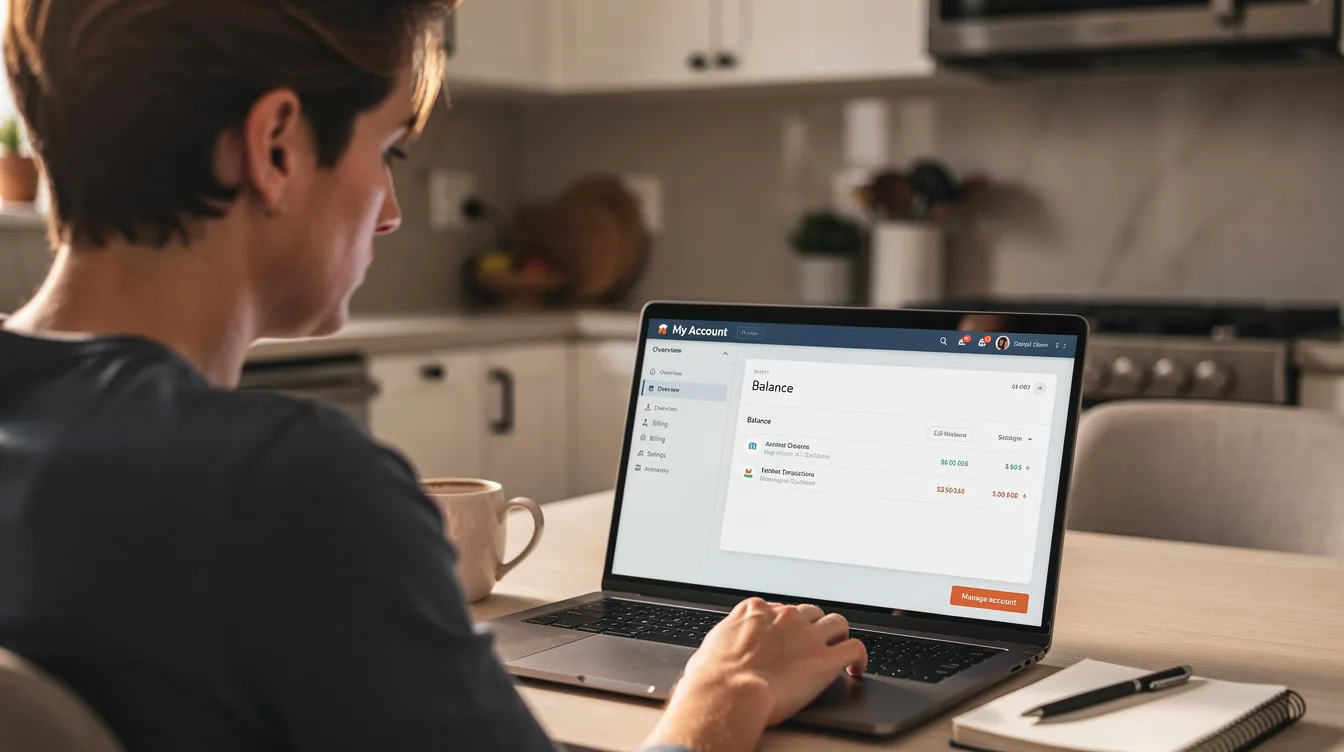
You can manage your immigration status through your UKVI account. Signing in requires the email address and mobile phone number linked to the account; you receive a security code each time for two-factor authentication.
The "View and Prove your immigration status" service shows your eVisa, visa type, end date, and conditions. To prove your right to work or right to rent, generate a share code. You can share your eVisa details using a share code, which stays valid for 90 days. You can create a new code whenever needed. Dependants, including children, each need their own account; a parent or family member can manage the login details until the child is old enough to control them.
Keeping Your Identity Documents and Contact Details Up to Date
You can update your UKVI account on GOV.UK. You must add your passport if you used a BRP to create your account; border systems check against the document linked to your eVisa. Biometric residence permits may be linked to a UKVI account, but adding your current passport or new passport is necessary for travel.
Dual nationality holders should add all passports they may use, ensuring every travel document is recorded. If your identity document changes (new passport, change of name, sex, or nationality), you need to provide proof to update your name or nationality. Scan or upload the new document and supply evidence such as a deed poll or marriage certificate.
You can only update personal details from inside the UK. Updating your UKVI account can take several weeks, so avoid leaving changes until the last minute before travel. Certain updates cannot be made while a visa application is still under consideration.
Travelling with an eVisa and What to Do If Things Go Wrong
Even with a digital eVisa, you must carry the same current passport registered in your UKVI account. Airlines and immigration control officers at the UK border use the passport number to locate your online record. During the transition, carry any physical document like a BRP card as backup until official guidance confirms otherwise.
Before booking travel, log in and check that names, document numbers, and dates match the passport you intend to use. Carry evidence of your eVisa (a printout of the "View and Prove" page, or a note of a share code) in case transport staff outside the UK are unfamiliar with the system. If you cannot access your eVisa at the border but hold valid immigration permission, present your passport and any approval letter or biometric residence card to the airline or border official.
If You Cannot Access Your UKVI Account or eVisa
You can reset your UKVI account details online using the account recovery service on GOV.UK. You need access to your registered email and phone number for the standard recovery flow. You can recover your account without all information required; the system offers alternative verification paths, including requesting a reminder of the identity document or UKVI customer number linked to your account.
Contact UKVI if you cannot recover your account online. Use webchat, email, or phone. In time-sensitive situations (imminent travel, for instance), provide extra evidence such as your Home Office decision letter to confirm your immigration permission while the issue is resolved.
Getting Help with Your Immigration UKVI Account
By July 2025, an estimated 200,000 people with valid immigration status still had not created a UKVI account. If you are among them, support is available.
A trusted friend or family member can assist with account creation using their own mobile device, then transfer control to you later.
Charities and local advice centres help those who are homeless, disabled, or have limited English or digital skills to create and manage accounts.
You can appoint a proxy or representative to manage a UKVI account for someone who cannot manage their own affairs; this arrangement can be changed or removed later.
The Home Office publishes help pages, eVisa support videos, and webchat services on GOV.UK with step-by-step visual guidance on tasks like scanning identity documents.

Frequently Asked Questions (FAQ)
Do I have to create a UKVI account if my BRP expired on 31 December 2024?
Your expired BRP card does not end your immigration permission. Your actual visa end date is on your Home Office approval letter, not the BRP. However, most affected holders must replace the card with an eVisa accessible through a UKVI account. You can use an expired BRP to set up an account until 31 December 2026. To avoid unnecessary delays, act before that deadline.
Can I have more than one UKVI account if I used different emails for past applications?
The Home Office expects each person to maintain a single account so that all eVisas and immigration records stay together. Try signing in with any previous email addresses. If you suspect duplicate accounts exist, contact UKVI to merge or correct the records rather than creating another profile. You can experience delays if records are split across multiple accounts.
What identity documents can I use to create or update my UKVI account?
Accepted documents include a biometric residence permit, a biometric residence card, a valid passport, or a travel document issued by the UK or another country. Refugees and some other groups may need to use their BRP card or an approved travel document instead of a home-country passport. An expired passport cannot be used unless it is within the allowed 24-month window for expired BRPs.
Can I update my UKVI account while I'm outside the UK?
Adding a new passport with the same personal details can often be done from abroad. Changes to key identity information (name, sex, nationality) are processed only from within the UK. If you renew your passport overseas, try adding it to your account before travelling back. Carry both old and new passports if the online change has not yet been confirmed.
Does updating my UKVI account change my immigration status or extend my visa?
No. Updating your UKVI account only changes the contact details and documents used to display and prove your existing immigration status. It does not extend a visa or grant new immigration permission. Applications to extend leave or change immigration route must go through the separate visa application process on GOV.UK.