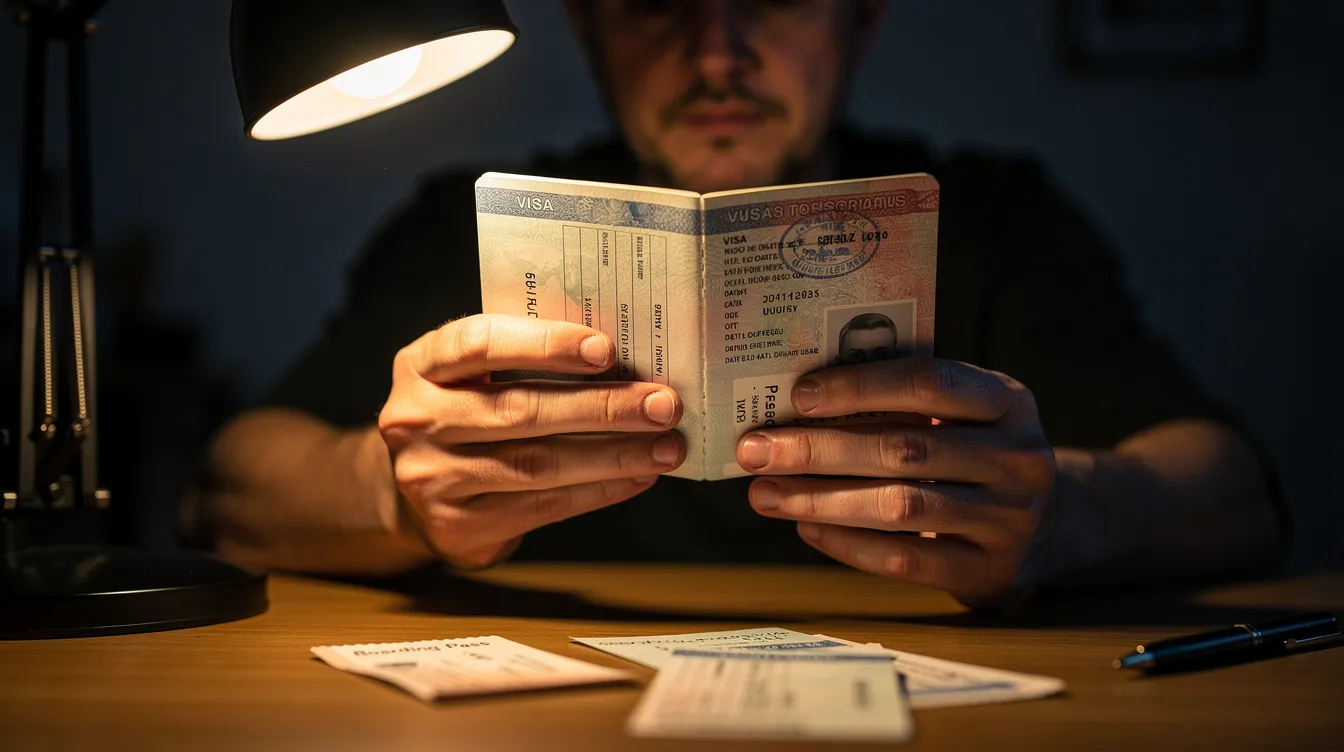
Visa US Check: How to Quickly Check Your US Visa Status Online
Waiting for your US visa decision can feel like watching paint dry. Whether you applied for a tourist visa in India, a student visa in Canada, or a family-sponsored immigrant visa from the Philippines, the process of refreshing your status page becomes an almost daily ritual. The good news is that checking your visa application status is straightforward once you know which portal to use and what details to enter. This guide walks you through every step.
Key Takeaways
The fastest way to perform a US visa status check for both immigrant visa and non immigrant visas is through the official CEAC status checker at ceac.state.gov and USCIS Case Status Online at uscis.gov. These are the only portals you should trust.
Before you start, have these ready: your DS-160 confirmation number (for nonimmigrant cases), CEAC case number or USCIS receipt number (for petitions), your passport number, application ID, and access to the email or phone tied to your account.
Every official portal requires you to complete a captcha code and click submit to retrieve results. Avoid third party websites that claim to check your US visa status - they may harvest personal data or charge unnecessary fees.
Typical processing time after a visa interview ranges from 2–10 working days for most nonimmigrant cases. Administrative processing can extend this by weeks or months. Status updates may take 24 to 48 hours after a visa interview, and a status that stays unchanged for several days does not automatically sign a problem.
Below, you will find step-by-step instructions for CEAC, USCIS, and passport collection tracking, plus explanations of common status messages and what to do when your case number or confirmation number shows "No Record Found."
How to Check Your US Visa Status Online (Step-by-Step)
This section is your quick-start guide - the fastest path to check both immigrant visa and non immigrant visa status online. The U.S. Department of State provides a portal to check visa status, and visa applicants can check their case information via the U.S. Department of State's tools as well as USCIS.
There are two main official portals:
CEAC - for Department of State cases linked to DS 160 submissions and consular interviews.
USCIS Case Status Online - for petitions like I-130, I-140, I-485, and I-765.
How to decide which to use:
If you have a CEAC case number starting with letters like "MNL2025…" or a DS-160 confirmation number starting with "AA," use CEAC.
If you hold a 13-character USCIS receipt number like "WAC2190123456," visit uscis.gov.
Keep your passport number and email handy - some portals request additional verification, especially for passport collection tracking. The sections below give detailed instructions for each portal and explain what every key field (application ID, case number, captcha code) refers to.
Checking Non Immigrant Visa Status via CEAC
This section covers tourist, student, work, and other non immigrant visa cases - B1/B2, F-1, J-1, H-1B, L-1, and similar categories - after DS 160 submission and your visa interview.
Step-by-step:
Visit the official Consular Electronic Application Center (CEAC) at ceac.state.gov. The CEAC portal provides real-time updates on visa applications and delivers updates directly from US embassies. Always verify you are on a .state.gov domain.
Select "Nonimmigrant Visa (NIV)" from the visa application type dropdown.
Choose the correct embassy or consulate location - the exact city where your interview took place (for example, "INDIA, NEW DELHI" or "MEXICO, CIUDAD JUAREZ").
In the "Application ID or Case Number" field, enter your DS-160 confirmation number. This is a 10-character alphanumeric code starting with "AA" that appears on your DS-160 confirmation page with a barcode. Even a single mistyped digit will return "No Record Found."
Type the captcha code from the displayed image carefully, then click submit.
The resulting screen shows a concise status line - "Application Received," "Administrative Processing," or "Issued" - plus a short explanation. You can check your visa status daily without limits, but ensure correct details to avoid access issues during checks. Ensure accurate details to avoid errors during status checks.
Example scenario: A B1/B2 applicant who had an interview in Mumbai in March 2026 uses their DS-160 application ID two days later, selects "India, Mumbai," completes the captcha, and sees "Issued" - meaning the visa is printed and passport delivery is next.
Checking Immigrant Visa Status via CEAC
Immigrant visa applicants - family-sponsored, employment-based, and diversity visa (DV) winners - use the same CEAC platform but select "Immigrant Visa (IV)" and use different identifiers. The visa application process for immigrant cases involves multiple stages, so the status messages are more detailed.
How to check:
On CEAC, choose "Immigrant Visa (IV)" and pick your processing post - often the city listed on your National Visa Center correspondence (for example, "MUMBAI," "MANILA," or "FRANKFURT").
Enter your case number for immigrant visa status checks. The immigrant visa case number is typically 13 characters, beginning with three letters for the post followed by digits (such as "MNL2025XXXXXX"). DV selectees use a format like "2026AF00012XXX."
Complete the captcha code and click submit.
You will see a narrative status such as "At NVC," "In Transit," "Ready," "Administrative Processing," or "Issued." Visa processing times vary by visa type and embassy workload, so it is normal for status to remain in one phase for several weeks. The NVC processing FAQ on travel.state.gov provides applicable detail on each stage.
Tracking USCIS Case Status with a Receipt Number
If your case is still with USCIS - petitions like I-130, I-140, I-129, I-485, or I-765 - you need the USCIS Case Status Online tool rather than CEAC. Check your status on the USCIS portal using your receipt number.
What is a receipt number? A 13-character code (three letters + 10 digits) such as "LIN2290123456" or "IOE0912345678," printed on your Form I-797 application receipt notice and email confirmations for online filings.
Steps:
Enter the receipt number without spaces or dashes.
Complete any captcha or automated check if shown.
Click the button to view your current status.
The resulting page displays the case type (for example, "I-130, Petition for Alien Relative"), the status ("Case Was Received," "Request for Evidence Was Sent," "Case Was Approved"), the last action date, and brief next steps. You can also create a free myUSCIS account at my.uscis.gov to get automatic email/SMS updates and track documents. According to USCIS historical processing time data, median processing for I-485 adjustment of status has ranged from 8–14 months depending on the service center.
Understanding Common Visa Status Messages and Processing Time
Knowing what each status actually means can save you unnecessary stress. Here is what the most common CEAC and USCIS messages indicate:
CEAC status labels:
Status | What It Means | Next Steps |
|---|---|---|
Application Received | Your visa application has been logged in the system | Wait 2–3 business days for progress |
Ready (IV only) | All NVC documents and fees are completed | Interview scheduling is pending |
Administrative Processing | Additional review under section 221(g) is required | Wait; do not inquire unless it exceeds ~60 days |
Issued | Visa approval is completed and the visa is printed | Proceed to passport collection |
Refused | Visa was not granted; may be temporary (221(g)) or permanent | Review the refusal notice for instructions |
No Record Found | Likely a data entry error or the system hasn't updated | Re-check your required information and location |
Visa status can indicate "No Status," "Application Received," "Administrative Processing," "Issued," or "Refused" depending on where your case stands. Administrative processing can delay visa decisions for several weeks or even months. Common delays occur due to additional document requests or security checks.
USCIS status labels: "Case Was Received," "Case Is Being Actively Reviewed," "Request for Evidence Was Sent" (submit requested documents by the deadline), "Case Was Approved," and "Case Was Denied" (review appeal options if applicable).
For non immigrant visas, many B1/B2 or F-1 visas are issued within 5–7 working days when no additional review is needed. Systems may update once daily, so avoid checking more than once per day - it rarely provides fresh information.
Passport Collection, Delivery Tracking, and Using Your Passport Number
Once CEAC shows "Issued," the next critical step is passport collection or courier delivery. The USTravelDocs portal tracks passport delivery after visa approval, and you can usually track this separately from CEAC using your passport number and profile confirmation number.
How to track:
Log in to the same appointment portal you used for scheduling (country-specific sites like ustraveldocs.com) and look for "Track My Passport" or "Passport/Visa Status."
Enter your passport number, date of birth, and sometimes your application ID to retrieve delivery status.
Visa printing and passport delivery may take several additional days - typically 3–10 working days after "Issued" appears, though holidays and peak travel seasons can extend this.
Pickup checklist:
Printed appointment letter
Government-issued ID
Authority letter (if someone else is collecting on your behalf)
Follow the exact instructions from your Visa Application Center (VAC)
Passport tracking information may lag behind CEAC by a day, so it is normal for CEAC to show "Issued" before the courier system shows "In Transit" or "Ready for Pickup."
Accuracy, Security, and Avoiding Status Check Problems
Precise data entry and use of official sites prevent most "No Record Found" errors when you try to check your US visa status online. It is advisable to use only official U.S. government websites for visa verification - domains ending in .state.gov, .uscis.gov, or authorized country-specific portals.
Critical tips:
Enter all identifiers (DS-160 application ID, CEAC case number, USCIS receipt number, passport number) exactly as issued. Maintain letter case, numeric sequence, and avoid extra spaces.
If CEAC shows "No Record Found" within 24 hours of your interview, wait another day, then re-check for typos or wrong consulate selection before contacting support.
Never share your full application ID or case number on public forums or social media. Log out of shared computers and avoid public Wi-Fi when entering sensitive details.
Take screenshots of status pages with visible dates - they become useful records when preparing an inquiry about delays or contacting the embassy.
When you eventually receive your physical visa, inspect it for correct personal details, photo consistency, and security features to verify authenticity. U.S. visas feature high-security features to prevent counterfeiting, including Optically Variable Ink that changes appearance depending on viewing angle, microprinting that is not visible to the naked eye, hidden fluorescent markers that glow under UV light, and digital data integration to verify personal details. Common signs of a fake visa include spelling mistakes and unusual fonts. Authenticity testing includes physical checks and confirming via government databases. Stay informed by bookmarking official portals and stay updated on any address or contact changes your embassy announces.
FAQ
Below are answers to specific questions that commonly come up during the visa application process.
Can I check my US visa status using only my passport number?
CEAC and USCIS tools primarily rely on your DS-160 application ID, CEAC case number, or USCIS receipt number - not just the passport number.
Some country-specific portals (such as ustraveldocs profiles) do allow tracking passport delivery status using your passport number and date of birth after visa approval.
Log in to your original appointment or profile account to see if a "Track My Passport" option is available for your country.
How long after my interview should I wait before checking my status?
CEAC typically shows an update within 24–48 hours after most consular interviews, though busy periods can extend this slightly.
Start checking once per day the day after your interview rather than refreshing every hour on interview day.
USCIS-based cases often take weeks or months between meaningful status changes, so weekly checks are usually sufficient.
What should I do if my case is in administrative processing for more than 60 days?
Review any 221(g) instructions to verify all requested documents and additional documents were submitted.
Contact the embassy or consulate using their official email or webform, providing your CEAC case number, full name, passport number, and interview date.
Some security checks can legitimately take longer, but an inquiry after 60 days is generally considered reasonable.
Can I change my DS-160 or case details after I see an error during status check?
Once a DS-160 has been submitted and used to schedule an appointment, you cannot edit that exact form - but you can complete a new DS-160 if instructed and update your profile.
Simple typos while checking status (wrong confirmation number, incorrect captcha, wrong consulate selection) do not change your actual application and can be fixed by re-entering correct data.
Contact the call center or VAC listed on the ustraveldocs or embassy website if there is a serious mismatch, such as the wrong person's name appearing with your case number.
Is it possible to check your US visa status without a confirmation number or receipt?
For security and accuracy reasons, official systems generally require at least one unique identifier such as a DS-160 confirmation number, CEAC case number, or USCIS receipt number.
Check old emails, printed forms, and payment receipts to locate the missing confirmation number or application ID.
If truly lost, contact the relevant support channel (USCIS Contact Center or the visa call center in your country) with your full name, date of birth, and passport details to ask what options exist to retrieve or reissue the completed application numbers.